Shopify Store Running Smooth? Here’s Why Smart Brands Still Add Odoo
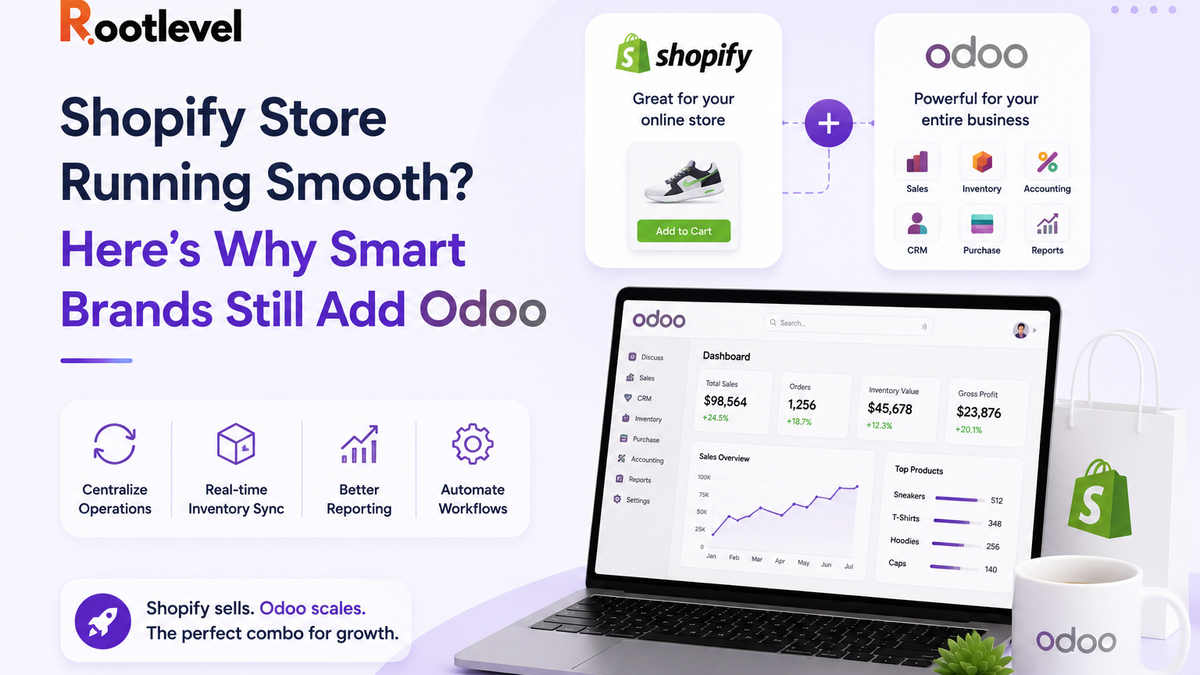
Shopify wins at storefront. Odoo wins at operations. Together, they help you scale without chaos.
WHY ODOO? (Even shopify is working fine)
If your Shopify store is doing well today—orders are coming, payments are smooth, customers can buy easily—then yes, Shopify is doing its job.
But Shopify is primarily a front-end selling engine.
As soon as your business grows, the real struggle starts behind the storefront:
- inventory reality vs system numbers
- purchase planning & replenishment
- fulfillment speed & accuracy
- returns/exchanges/refunds control
- true profitability after fees + shipping + wastage
That’s where Odoo enters—as the “Business operating system” that manages everything after the order is placed.
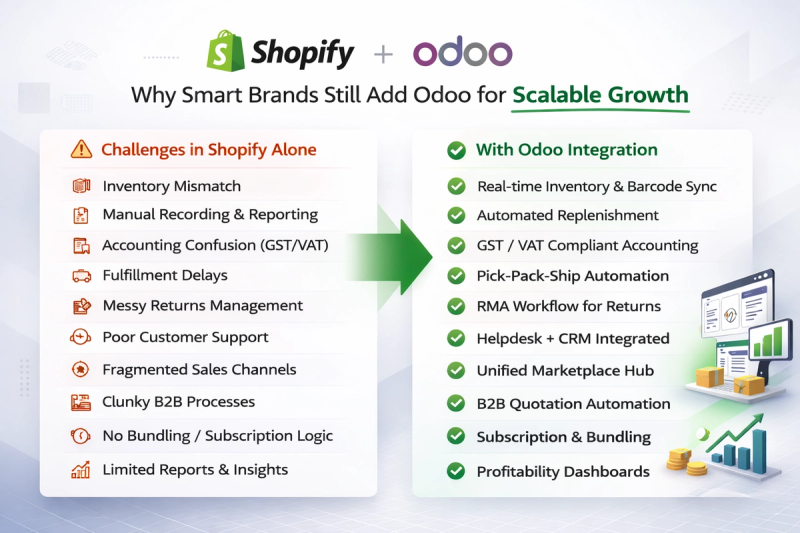
The Pain Points & Odoo use case
1) Inventory that actually matches reality
Problem in Shopify-only: stock mismatch, overselling, poor multi-warehouse support (unless lots of apps).
Odoo use case:
- Multi-warehouse stock
- batch picking / wave picking
- barcode scanning
- reserved stock per order
- backorders + partial deliveries
2) Purchasing & replenishment automation
Problem: reorder is manual, stockouts happen, purchase planning is weak.
Odoo use case:
- reordering rules (min/max)
- vendor lead times
- automated POs
- purchase approvals
- landed costs (freight/customs) allocation into inventory value
3) Accounting + taxes + invoices (proper finance)
Problem: Shopify payments, refunds, COD, fees, gateways, tax reports are messy.
Odoo use case:
- automatic customer invoices
- payment reconciliation (Stripe/PayPal/bank)
- refunds/credit notes properly tracked
- GST/VAT compliant accounting workflows
- profit by product/channel (after fees)
4) Fulfilment and shipping workflow control
Problem: fulfilment rules are limited; returns and exchanges are painful.
Odoo use case:
- delivery carrier integration logic
- packing steps (pick → pack → ship)
- RMA / returns + exchanges + store credit flows
- SLA tracking for dispatch time
5) Customer service + CRM in one place
Problem: tickets in one tool, order details in another, customer history scattered.
Odoo use case:
- Helpdesk linked to customer orders/shipments
- automated replies, ticket stages, SLA
- upsell pipeline in CRM tied to actual purchase history
6) Omnichannel: Shopify + marketplaces + offline
Problem: expanding to Amazon/Flipkart, retail POS, or B2B makes everything fragmented.
Odoo use case:
- Odoo as central “brain” for stock + accounting
- POS retail store sync with the same inventory
- multiple sales channels, unified reporting
7) B2B + Wholesale layer on top of Shopify
Problem: wholesale needs price lists, credit limits, payment terms, approvals.
Odoo use case:
- customer-specific pricelists
- MOQ rules, credit limits
- quotations → sales orders workflow
- payment terms + follow-ups
- separate B2B logic while Shopify stays the catalog/storefront
8) Manufacturing / kitting / assemblies
Problem: if they produce, bundle, or assemble products, Shopify isn’t an ERP.
Odoo use case:
- BOMs, work orders, routing
- kit/bundle stock handling
- raw material planning
- quality checks
9) Subscription or service + product businesses
Problem: mixed models (products + installations + AMC + subscription) become confusing.
Odoo use case:
- subscriptions + recurring invoicing
- field service jobs linked to orders
- projects/tasks tied to customers and invoices
10) Reporting & decision-making (management dashboards)
Problem: Shopify reports are sales-focused; ops/finance views are limited.
Odoo use case:
- profitability per SKU after shipping + gateway fees
- inventory aging, dead stock, stock turn
- purchasing performance (vendor lead time, fill rate)
- cohort + retention metrics (with CRM/marketing)
When Shopify + Odoo makes sense (quick checklist):
- 50+ orders/day OR multiple daily dispatches
- 2+ warehouses / 3PL involved
- frequent stockouts or overselling
- B2B/wholesale pricing needed
- accounting close is painful every month
- too many apps + spreadsheets running operations
If you don’t build a stronger system, you’ll lose:
- Revenue from cancellations, wrong dispatch, delayed shipping, poor reviews
- Cashflow stuck in dead stock + emergency buying + uncontrolled refunds
- Team productivity wasted in spreadsheets + manual reconciliation + firefighting
- Decision power because real profit and inventory health stays unclear
How Shopify + Odoo works together:
- Shopify stays as your storefront (catalog + checkout + customer experience)
- Odoo becomes the back office (inventory, purchase, accounting, fulfillment, CRM)
- Orders/products/customers sync between both
- Odoo can be the “source of truth” for stock and finance
Implementation approach:
- Map your current workflow + pain points
- Decide what syncs (products, stock, orders, invoices)
- Setup Odoo modules + rules (warehouse, purchase, accounting)
- Pilot with one warehouse/channel → then scale
Summary:
- Shopify helps you sell.
- Odoo helps you run the business.
- When you connect both, you scale without chaos.
Next Steps:
If you’re doing 50+ orders/day, expanding warehouses, or planning B2B/wholesale—this is the right time to set up Shopify + Odoo the right way.
OR Share your,
- your product category (fashion/beauty/electronics/etc.)
- monthly order volume
- warehouses/locations count
at mohit@rootlevel.in or info@rootlevel.in
And We’ll share a simple “Shopify + Odoo blueprint” for your operations.
FAQ
- Will Shopify remain? ---> Yes, Shopify stays for front-end.
- Will it slow down operations? ---> Initially there’s setup, but daily work becomes faster.
- Is Odoo too big for small stores? ---> It’s best when complexity starts (stock, warehouses, accounting, B2B).
- Do I need all modules? ---> No—start with Inventory + Purchase + Accounting, then expand.